Your self-hosted AI agent, now in your pocket.
Hermex is a native iOS app that gives you a real mission-control cockpit for your own Hermes AI agent server — streaming responses, full session history, and zero data leaving your infrastructure.
An independent explainer for uzairansaruzi's hermex — built to take you from "never seen it" to "ready to implement".
01
Your AI runs on your hardware. Why does the interface run in Safari?
Why does this exist?
You self-hosted your AI agent for privacy and control. Then you open a browser on your phone, navigate to a web UI that wasn't designed for a 6-inch screen, and watch streaming responses stutter in a non-native view.
The hermes-webui browser UI technically works on mobile via Cloudflare Tunnel — but it wasn't designed for it. You lose the native iOS feel, streaming stutters in a web view, your session state vanishes if the screen turns off, and your server password sits in browser state instead of the Keychain.
You went through the trouble of self-hosting for privacy and control. You deserve an interface that takes mobile seriously.
The gapNative streaming, offline cache, Keychain auth, Live Activities, App Intents — none of these exist in a browser wrapper. They only exist in a real native app.
02
A native iOS cockpit for your Hermes agent server
What does it actually do?
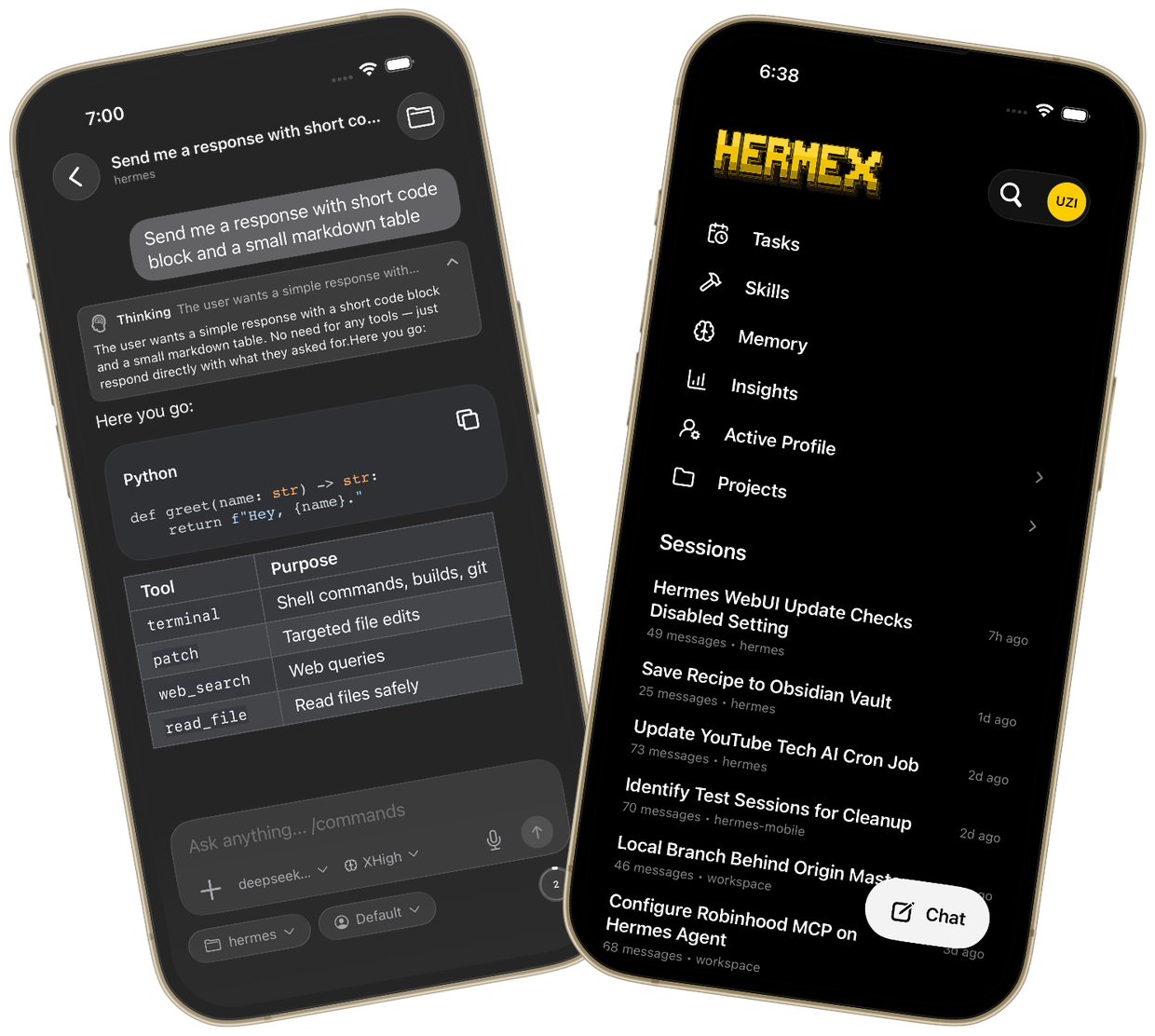
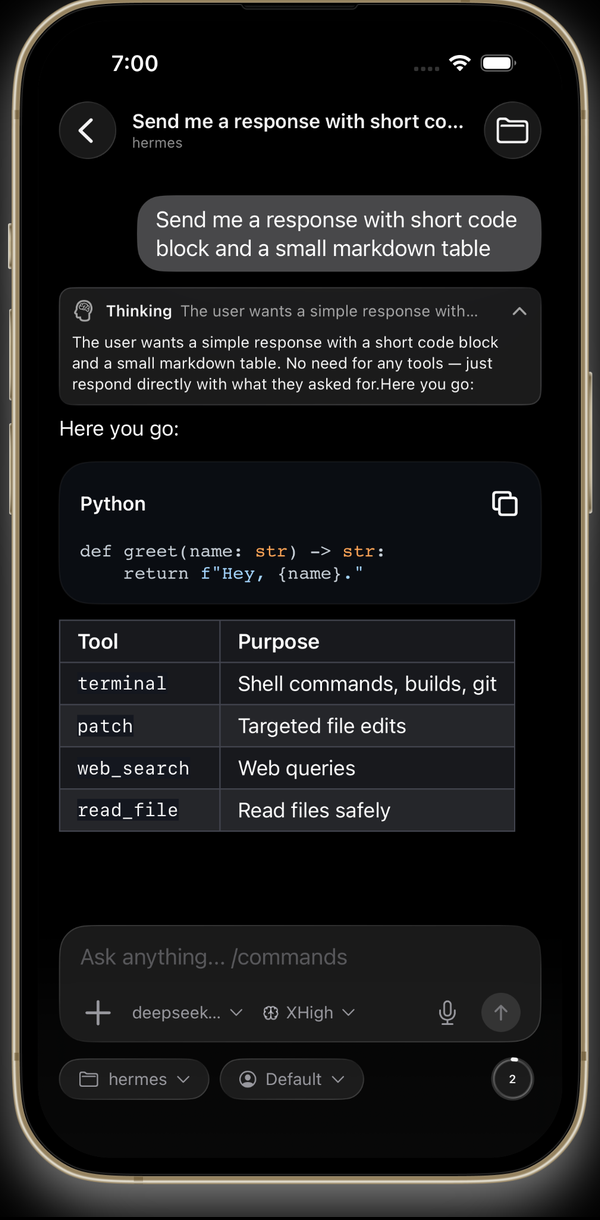
Hermex (Xcode target: HermesMobile) is a SwiftUI app, free on the App Store, that talks exclusively to your own hermes-webui server over HTTPS. The phone is the control plane. The server is the execution plane.
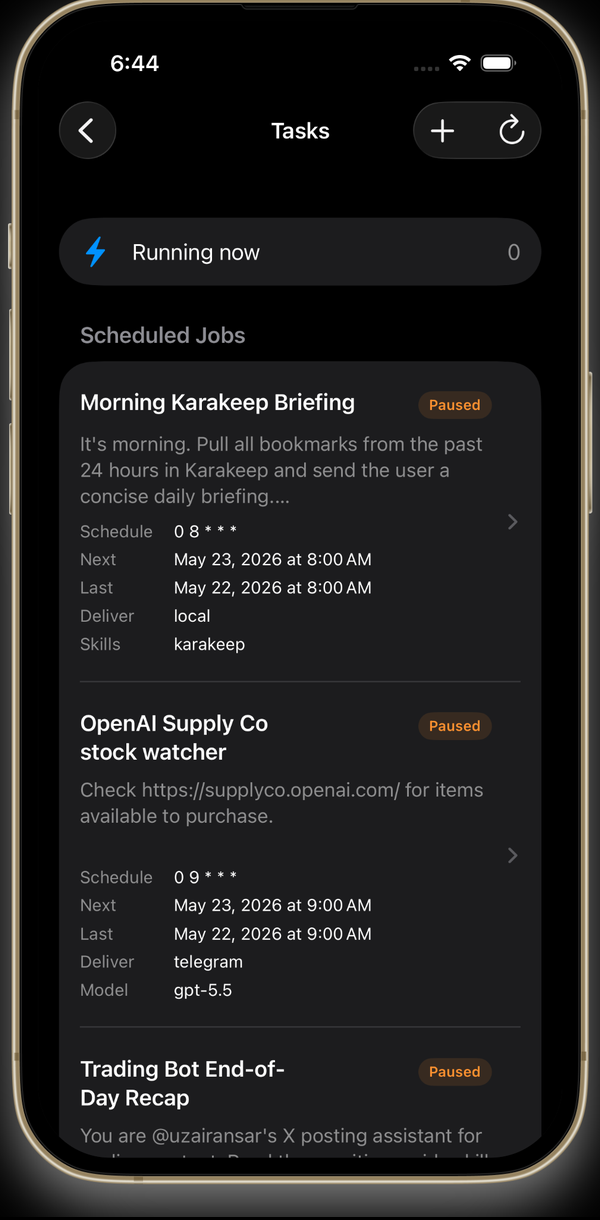
Everything your agent can do — start sessions, watch responses stream token-by-token, steer or stop a run, manage tasks and skills, browse the workspace file system — you can do from your iPhone. No relay. No telemetry. No cloud.
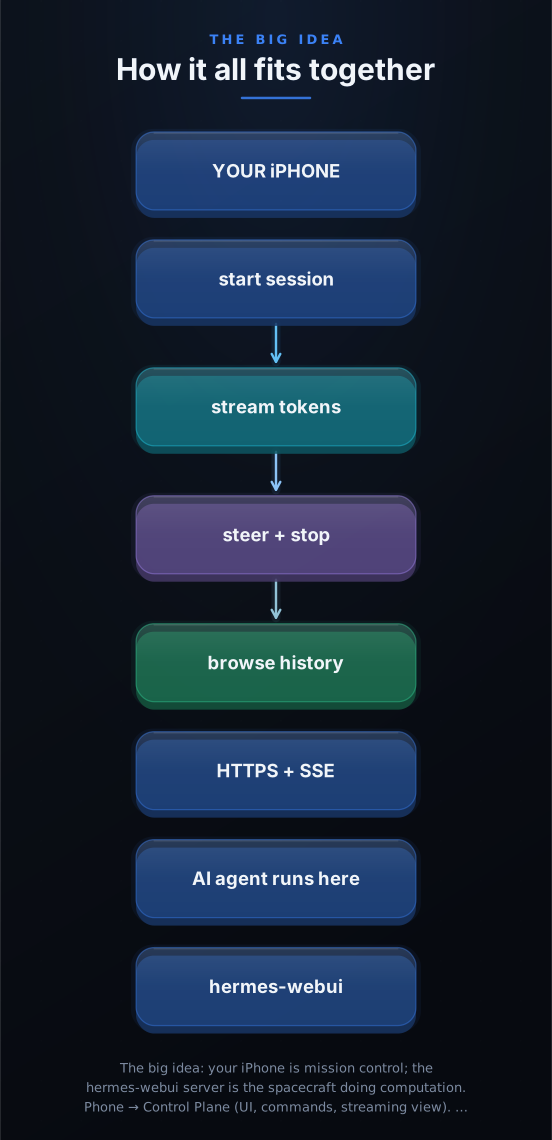
The architecture is deliberately minimal: the app is a control surface that never touches your models or your data. Your server handles all compute. Hermex handles all mobile interaction quality.
| Feature | What it does |
|---|---|
| Streaming Chat | Send prompts, watch tokens stream in real time, see tool calls and thinking blocks |
| Session Management | Browse and resume all server sessions; cached sessions readable offline |
| Tasks | View and edit the agent's scheduled cron jobs |
| Skills | Browse and search the agent's installed skills |
| Workspace Browser | Explore the server's file system from your phone |
| Memory & Insights | Read agent memory and usage analytics |
| Live Activities | Dynamic Island progress during long agent runs |
| Share Extension | Share content to your agent from any app |
03
The clever move: the phone never touches the models
Why is it elegant?
Hermex does something architecturally elegant — it never tries to run AI models on the device. Instead, it uses Server-Sent Events to stream the server's output in real time, the same way browsers do, but consumed by a native URLSession-based SSE client.
This means the app is fast, battery-efficient, and completely model-agnostic. You can switch between GPT-4, Claude, Gemini, or any local model your server supports — Hermex just streams whatever the server emits.
When Cloudflare closes the SSE connection during quiet periods (a known risk for long-running quiet streams), the app detects the drop, queries GET /api/chat/stream/status, confirms the run is still active, and reattaches via a new GET /api/chat/stream?stream_id=... — using the same stream_id the server already knows about. Your message was never sent twice.
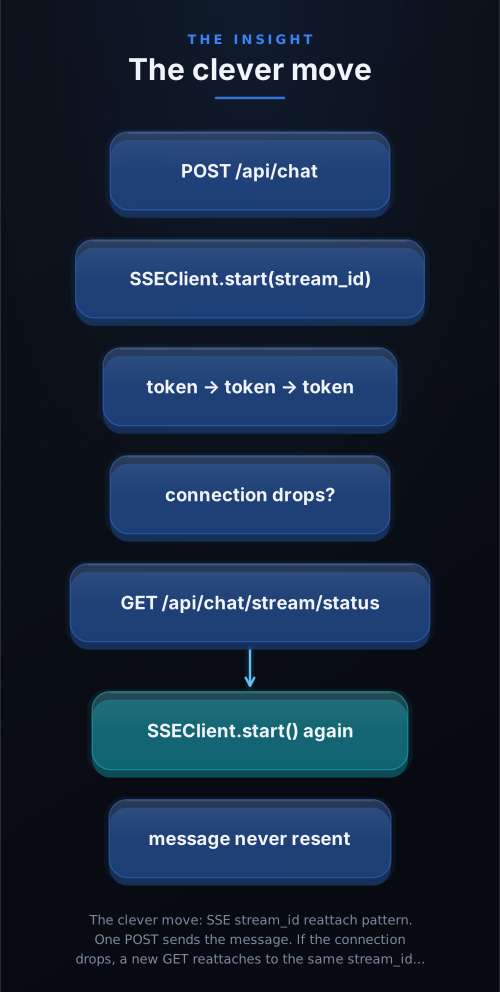
One POST sends the message. If the SSE connection drops, the app reattaches to the same stream_id — never resending your message, never losing progress.
04
How Hermex works: from tap to token
How is it built?
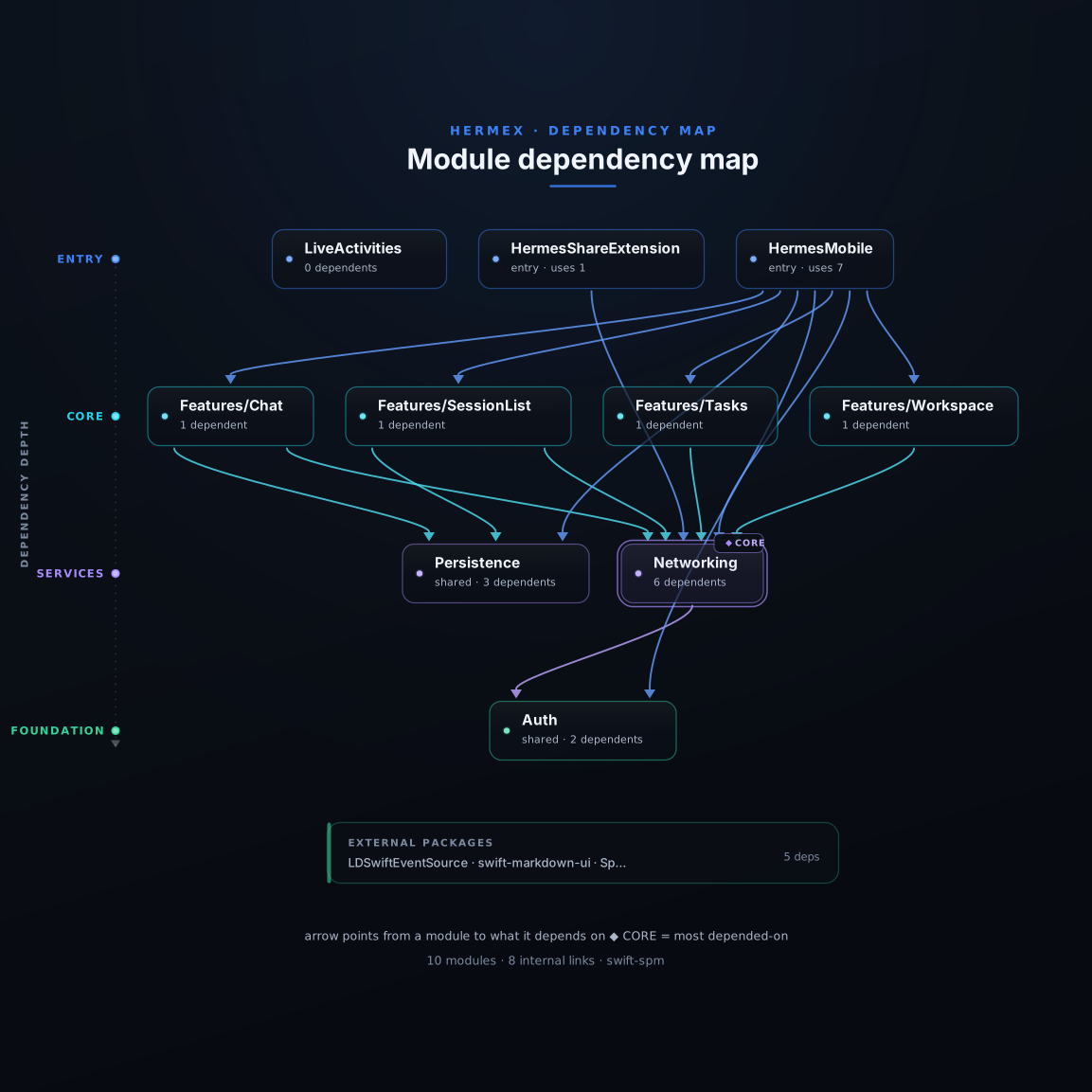
Clean separation of concerns: a Swift actor-based API client owns all HTTP, an SSE client owns the streaming connection, feature modules own their UI and state, and SwiftData owns the offline cache.
The main target (HermesMobile) is organized into Auth, Networking, Persistence, and feature modules (Chat, Sessions, Tasks, Skills, Workspace, Memory, Insights). Two extension targets handle the Dynamic Island live activity (HermesLiveActivityWidget) and the iOS share sheet (HermesShareExtension).
The Networking layer's APIClient is a Swift actor — meaning all HTTP state is protected from data races by the Swift concurrency model. It has 13 extensions, one per domain (chat, sessions, tasks, skills, workspace, memory, TTS, transcribe, etc.). The SSEClient wraps LDSwiftEventSource and handles reconnect logic transparently.
05
Built for the people who run their own stack
Could I use this?
Hermex is a tool for developers and power users who self-host their AI infrastructure. Here's who it's for:
1 The developer away from their desk Remote monitoring
Your agent is running a long research task. You stepped out. With Hermex you can check the live token stream from your phone, steer the run if it goes sideways, and approve tool calls — all without opening a laptop.
2 The privacy-first power user Zero-trust setup
Every message stays between your phone and your server. No analytics, no telemetry, no third-party relay. Hermex literally only talks to the URL you configure. The app's code is open source — you can audit exactly what it does.
3 The team with a shared Hermes server Multi-user
Multiple people can connect their own Hermex app to a shared hermes-webui instance. Each person sees their own sessions; the server handles isolation. No SaaS account, no per-seat pricing.
06
Up and running in about 15 minutes
How do I start?
Hermex is a client only — you bring your own hermes-webui server. Prerequisites: a machine you control (Mac, Linux, or Windows/WSL2), Python 3.11+, Cloudflare Tunnel or Tailscale for HTTPS, and an iPhone on iOS 18+.
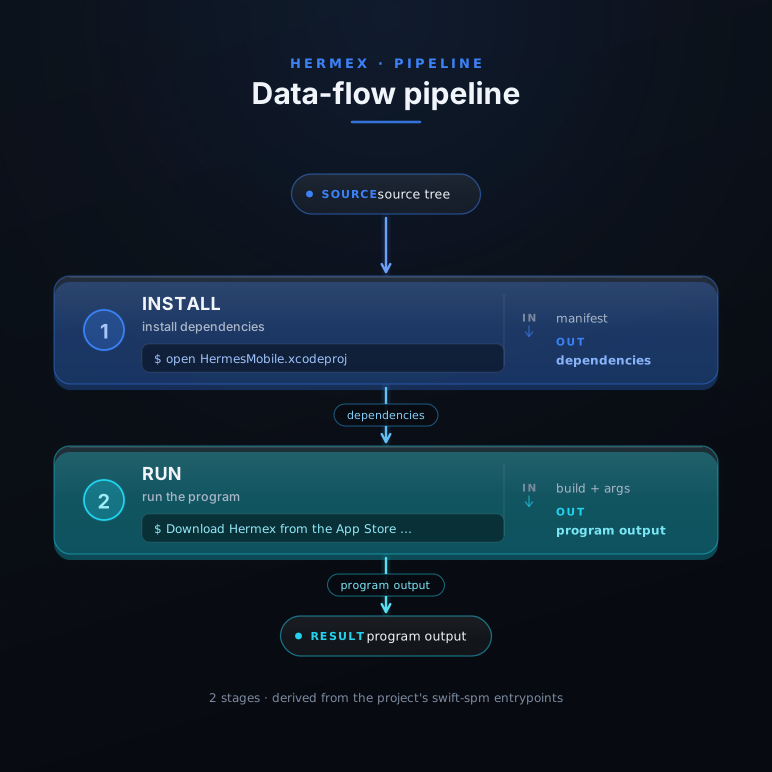
App Store (free) · or build from source with Xcode 26+- Run the server pip install hermes-webui && HERMES_WEBUI_PASSWORD=yourpassword hermes-webui — the server starts on port 8787. Verify: curl http://localhost:8787/health → {"status":"ok"}.
- Expose over HTTPS cloudflared tunnel --url http://localhost:8787 — gives you a real HTTPS URL (e.g. https://random-name.trycloudflare.com). iOS App Transport Security needs real HTTPS. Tailscale (100.64.x.x range) also works for plain HTTP within the mesh.
- Download Hermex (free) Search Hermex on the App Store, or go to apps.apple.com/app/hermex/id6767006319. No account required, no subscription.
- Connect Open Hermex → enter your HTTPS URL and password → tap Test Connection. A green checkmark means the app hit GET /health successfully. You land on the session list.
- Start your first session Tap + → choose workspace and model → type your prompt → send. You'll see tokens appear character-by-character in a native SwiftUI bubble, with tool-call detail and thinking blocks expandable inline.
07
The AI knowledge pack for Hermex
Does my AI get it too?
This explainer ships a downloadable AI knowledge pack: a portable RVF knowledge base your AI assistant can query to deeply understand the Hermex codebase — the same KB that grounded every claim on this page. It includes the full primer, structured module index, and the ask-kb tool for conversational querying.